
3D Vision Cameras from China: How to Choose for Picking, Navigation and Inspection
Source: https://sourcebotics.com/guides/3d-vision-buyers-guide/
Short answerDefine the working distance, the smallest feature you must see and the surfaces in the scene, then shortlist cameras whose optimal range, not maximum range, covers that distance. Compare accuracy only when the figures share a definition and a distance. Check the interface, SDK and mounting for your robot, and test with your own parts and lighting before you order.
Define the vision task first
A 3D camera is chosen for one measurement job. Write these down before you compare products:
- Working distance: the nearest and farthest distance from the camera to the objects, including the camera's mounting position on the robot or in the cell.
- Field of view: the area that must be covered at that distance, such as the full bin, the pallet footprint or the path ahead of a mobile robot.
- Detail: the smallest feature or position error that matters for the task, for example the gap between parts or the tolerance of a grasp.
- Surfaces: dark, shiny, transparent or textured parts, and whether they are mixed in the same scene.
- Motion and timing: whether the scene is still during capture, and the time available per capture in the robot's cycle.
- Environment: sunlight, factory lighting, dust, water, temperature and vibration.
These six points decide the depth principle, the camera family and how much the camera will cost to integrate. For how stereo, structured light and time-of-flight work, see structured light vs stereo vs ToF cameras.
Applications and the camera traits that matter
| Application | What matters most | Example models on Sourcebotics |
|---|---|---|
| Bin picking, depalletising, machine loading | Accuracy at a fixed distance, coverage of the full bin or pallet, behaviour on shiny and dark parts, picking software | Mech-Eye NANO, Mech-Eye PRO M, Percipio FM851-E2 |
| Mobile robot navigation and obstacle detection | Wide field of view, frame rate, sunlight tolerance, compact size, connection to the robot computer | Orbbec Gemini 335, Orbbec Gemini 336, Orbbec Gemini 335Le |
| Manipulation on robot arms and humanoids | Short minimum distance, compact size, synchronisation with other sensors, ROS support | Orbbec Gemini 335, Orbbec Gemini 336 |
| Indoor body and volume sensing | Wide field of view, depth modes, consistent depth on plain surfaces | Orbbec Femto Bolt, Orbbec Femto Mega |
| Measurement and reverse engineering | Point accuracy, scanning workflow, tracking and software | Revopoint MetroX Pro, Revopoint Trackit SR |
Read range figures correctly
Many datasheets give two ranges, and only one is useful for planning. Orbbec lists the Gemini 335 with a depth range of 0.10 to over 20 m and an optimal range of 0.26 to 3 m. The wider figure tells you where the camera can still return depth; the optimal range is where the maker recommends using it. Shortlist cameras whose optimal range covers your working distance with some margin.
Range can also depend on the camera mode. The Femto Bolt time-of-flight camera has a depth range of 0.25 to 5.46 m depending on the depth mode. Its wide field-of-view mode gives up to 1024 × 1024 at 15 fps, and its narrow mode gives 640 × 576 at 30 fps. Pick the mode your task needs, then read the range, resolution and frame rate for that mode only.
| Model | Depth principle | Range stated by the maker | Depth output | Connection |
|---|---|---|---|---|
| Orbbec Gemini 335 | Stereo, 850 nm | 0.10–20 m+, optimal 0.26–3 m | Up to 1280 × 800 at 30 fps, field of view 90° × 65° | USB 3.0 Type-C |
| Orbbec Gemini 336 | Stereo, 850 nm, IR-pass depth filter | 0.10–20 m+, optimal 0.26–3 m | Up to 1280 × 800 at 30 fps, field of view 90° × 65° | USB 3.0 Type-C |
| Orbbec Gemini 335Le | Stereo, visible and NIR-pass, 95 mm baseline | Ideal 0.25–6 m | Up to 1280 × 800 at 30 fps | Gigabit Ethernet, M12 X-coded |
| Orbbec Femto Bolt | Time of flight, 850 nm | 0.25–5.46 m depending on mode | Up to 1024 × 1024 at 15 fps or 640 × 576 at 30 fps | USB 3.2 Gen 1 Type-C |
Figures from the Orbbec product pages for the Gemini 335, Gemini 336 and Femto Bolt, and the Gemini 330 series Ethernet datasheet for the Gemini 335Le.
The table also shows that one camera family can come in several builds. The Gemini 335, 336 and 335Le share a depth resolution but differ in optical filter, baseline and connection. Choose the build for the lighting and cabling on your robot, not only the family name.
Compare accuracy on the same terms
Accuracy is the figure most often compared wrongly. Makers express it as a percentage of distance, a fixed error in millimetres, or a combination, and they measure it with different methods. Orbbec, for example, states the Gemini 335's spatial precision as a root mean square error below 1.5% at 2 m. That describes depth noise at one distance under the maker's test conditions. It is not the error you will see when a robot picks a part.
To compare two cameras:
- Convert each figure to your working distance, using the maker's own definition.
- Check whether the figure describes precision (noise, repeatability) or trueness (offset from the real position).
- Ask for the target, distance and lighting used for the measurement.
- Add the error of hand-eye calibration and robot positioning, which usually matters as much as the camera.
Interfaces, software and mounting
A camera that cannot be integrated quickly is expensive whatever its price. Check:
- Connection and cable length: USB is simple on a desk; Ethernet with locking connectors is easier to route through a robot arm or a vehicle. Confirm the maximum cable length and whether power comes over the same cable.
- Host platform: operating systems and processor architectures the SDK supports, including ARM boards on mobile robots.
- SDK and drivers: languages, ROS or ROS 2 packages and their maintenance status, and sample code for point clouds and calibration.
- Synchronisation: hardware trigger and multi-camera synchronisation if you combine cameras or sync with a LiDAR.
- Picking or measurement software: whether the maker supplies application software, its licence model and the robot brands it supports.
- Mechanical and environmental: mounting holes, weight, IP rating, operating temperature and vibration rating for your installation.
Test with your own parts
Datasheets cannot tell you how a camera handles your parts. Before ordering, send sample parts or a recorded scene to two or three makers and ask for point clouds at your working distance under lighting close to your site. Include the hardest cases: dark rubber, polished metal, transparent packaging and parts touching each other. Agree the success measure in advance, such as pick success rate, measurement repeatability or obstacle detection distance. For a structured sample process, see how to evaluate robot component samples.
Checklist for a 3D camera inquiry
- Working distance range and the field of view needed at that distance.
- Smallest feature or error that matters, and the cycle time per capture.
- Part surfaces, ambient light and environmental conditions.
- Robot or vehicle mounting, cable route and host computer.
- Interface, SDK, ROS support and synchronisation needs.
- Application software required and its licence terms.
- Sample test plan with success measures.
- Quantity, delivery date, warranty and the calibration tools included.
Sources
FAQ
Should I choose the camera with the longest range?
No. Choose by the optimal range for your working distance. A longer maximum range does not mean better accuracy at the distance you use.
Can one camera serve both navigation and manipulation?
Sometimes, if its optimal range and field of view cover both tasks. More often a mobile manipulator uses one camera for navigation and another closer to the gripper.
Why does the same camera perform differently in my factory?
Lighting, surfaces, camera temperature and mounting vibration all affect depth quality. Test in conditions close to your site and recheck the calibration after installation.
Do I need the maker's picking software?
Not always. Some teams use their own software with the camera SDK. The maker's software can shorten deployment for standard tasks such as bin picking and depalletising; compare its licence cost with the integration time it saves.
Planning a robotics purchase? Share the quantity, configuration and destination so we can check fit, availability and quote requirements.
Request a quote— The Sourcebotics sourcing desk
Related products
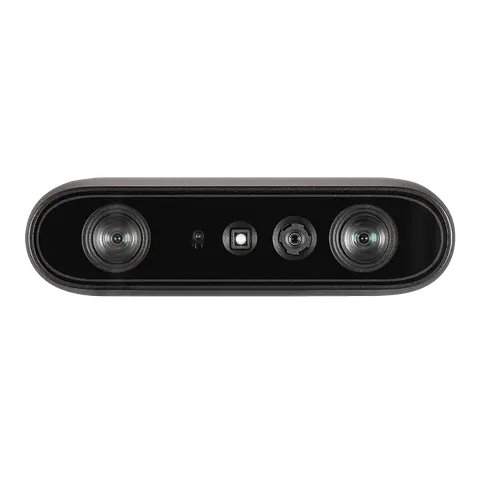
- Technology
- Active and passive stereo IR
- Depth Range
- 0.10-20 m+ (optimal 0.26-3 m)
- Depth Accuracy
- <1.5% @2 m
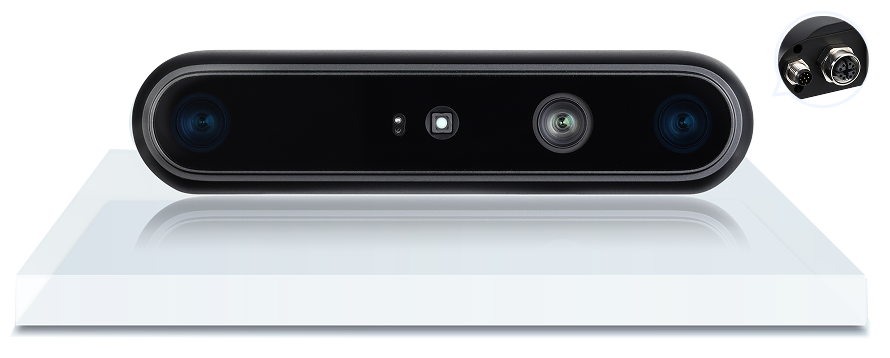
- Exact model
- Gemini 335Le
- Depth optics
- Visible+NIR-pass; 95 mm baseline
- Ideal depth range
- 0.25–6 m; validate the actual scene
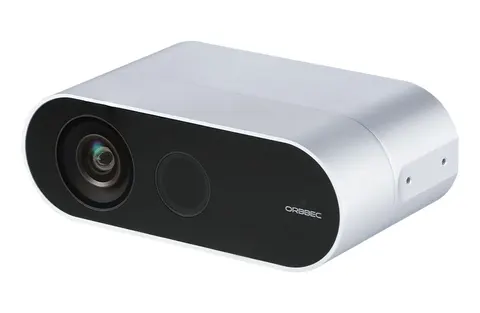
- Technology
- Time of Flight (850 nm)
- Depth Range
- 0.25-5.46 m (mode dependent)
- Depth Accuracy
- <11 mm + 0.1% of distance; random error <=17 mm
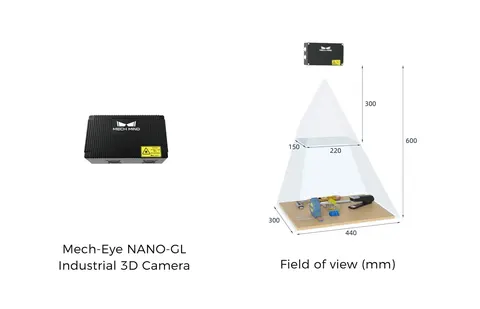
- Technology
- Structured light (LED)
- Depth Range
- 300-600 mm
- Depth Accuracy
- 0.1 mm @0.5 m